Skip to content
Services
About
Learn
Client Guide
Blog
Australian home buying schemes
How to access your Notice of Assessment
How to access your income statement
Community
FQ’s 1 Million Meals Goal
Supporting local communities
Services
About
Learn
Client Guide
Blog
Australian home buying schemes
How to access your Notice of Assessment
How to access your income statement
Community
FQ’s 1 Million Meals Goal
Supporting local communities
1300 672 065
Contact us
How to access your
notice of assessment
Sign in to
MyGov Portal
Select
ATO
from your
Linked Services
Select
My Profile
from the menu
Select
Communication
, then
History
from the
drop-down menu
Select
Notice of Assessment Document
Select
Save
as
PDF
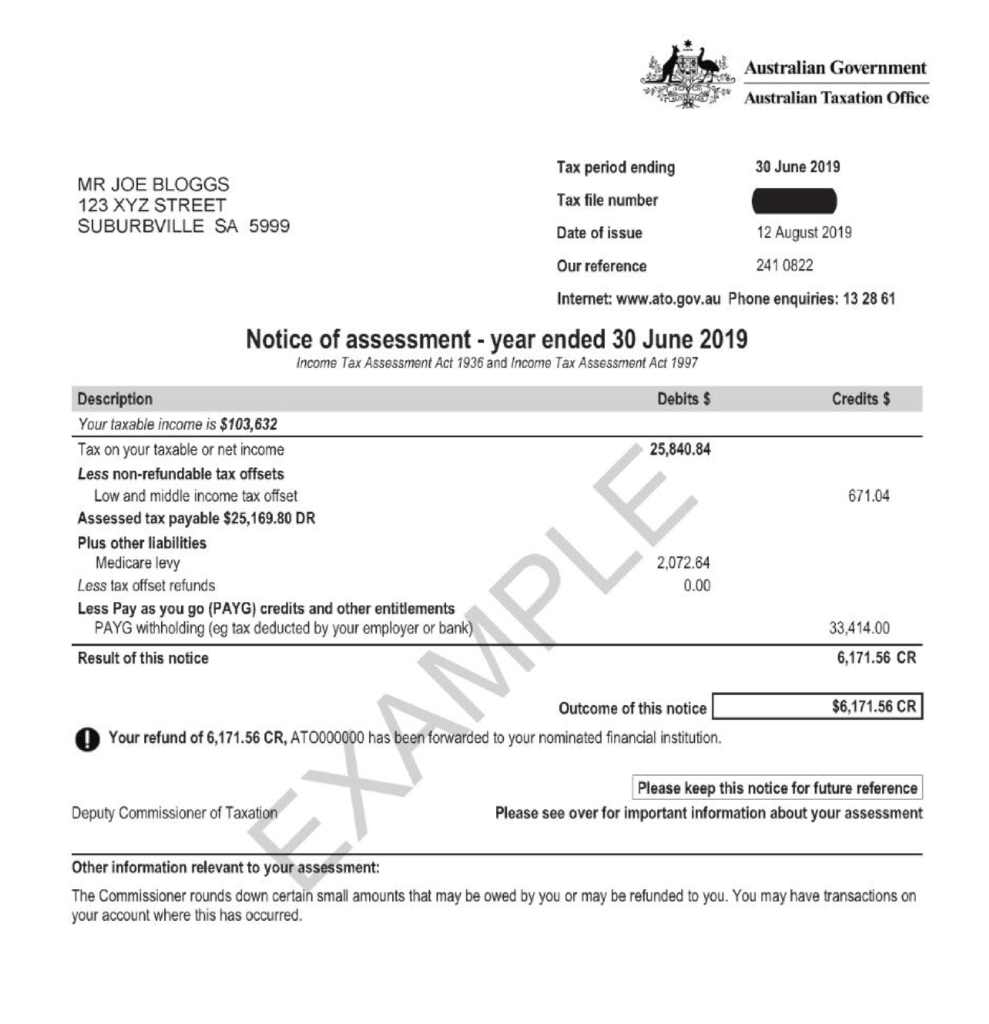
Below is an example of what the
Notice of Assessment
document looks like.